How Rakshak uses Discord gateway data for administrator-enabled member, presence, and message-safety workflows.
Rakshak requests gateway access only for enabled functionality that depends on the related Discord events or data. Interactive configuration is provided through Discord application commands, while the automated workflows documented below react to member events, presence changes, or ordinary guild messages without requiring the affected member to invoke a command.
Real-time member join, update, and leave workflows.
Evidence Available
Guild Presences Intent
Automatic vanity-status role synchronization and presence statistics.
Evidence Available
Message Content Intent
Ticket transcripts, AI conversations, autoresponders, and repeated-content moderation.
Transparency Note
This page explains Rakshak's use of privileged Discord gateway data using genuine screenshots and videos from a Rakshak testing server. The evidence is provided for technical review and does not represent or imply approval, certification, endorsement, or verification by Discord.
Guild Members Intent
Rakshak uses real-time guild member events for administrator-enabled member automation, role-update monitoring, and staff logging.
Demonstrated Workflows
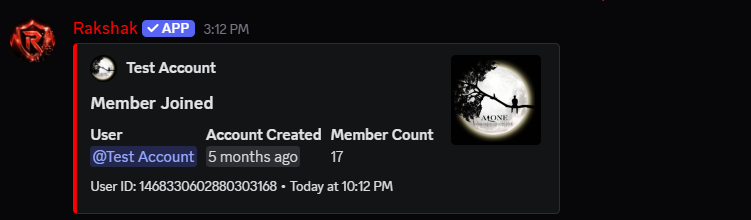
Automatic member join logging
Automatic role assignment
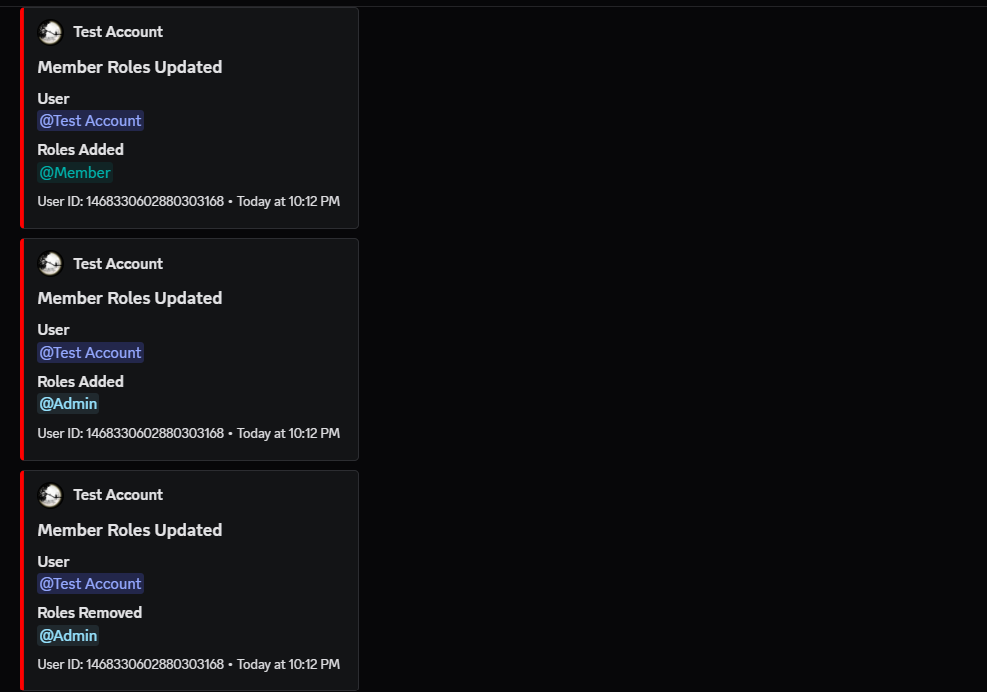
Automatic member role-update logging
Detection of role additions and removals
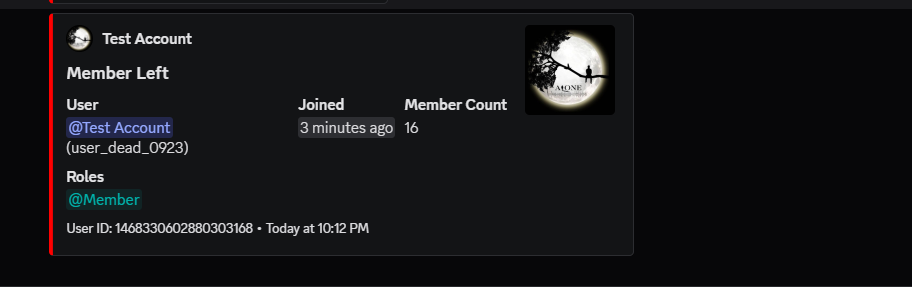
Automatic member leave logging
Updated member-count information associated with join and leave events
Why Real-Time Member Events Are Used
These workflows must run when a member joins, is updated, or leaves the server. They are not initiated by the affected member through a command. On-demand lookups or interaction payloads do not provide the same automatic join, update, and leave workflow.
Data Used
Depending on the enabled workflow, Rakshak may process the member's Discord user ID, guild ID, account creation timestamp, guild join timestamp, current roles, member-count information, and relevant member-event metadata. This data is used only to perform the configured automation or create the configured staff log.
Evidence Video
Guild Members Intent Evidence Video
This video demonstrates a member joining, automatic role assignment, role additions and removals being logged through member-update events, and the member leaving the server.
Rakshak automatically receives and logs the member join event, account information, account age, and updated member count.
Member Roles Updated
Rakshak automatically logs role additions and removals received through member update events.
Member Left
Rakshak automatically receives and logs the member leave event, previous roles, joined duration, and updated member count.
Guild Presences Intent
Rakshak uses real-time presence and activity updates for administrator-enabled vanity-status role synchronization and current server presence statistics.
Primary Workflow - Automatic Vanity Status Role Synchronization
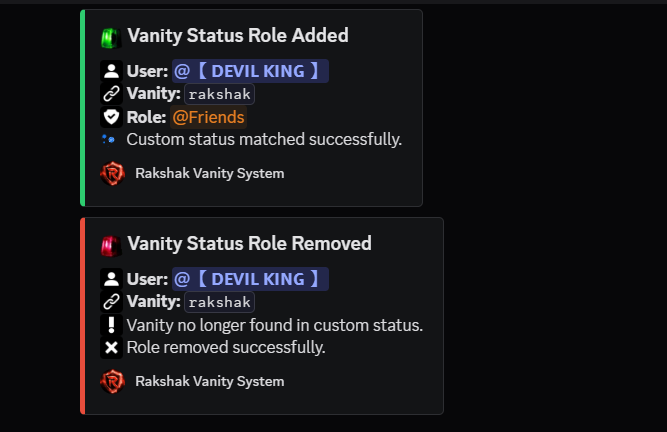
A server administrator configures a custom-status text, a linked role, and a staff log channel. When Rakshak receives a real-time presence or activity update and detects the configured text in a member's custom status, it automatically adds the configured role. When the configured text is removed, Rakshak automatically removes the role.
This workflow runs from the member's real-time status change and does not require the member to invoke a command.
Supporting Workflow - Presence Statistics
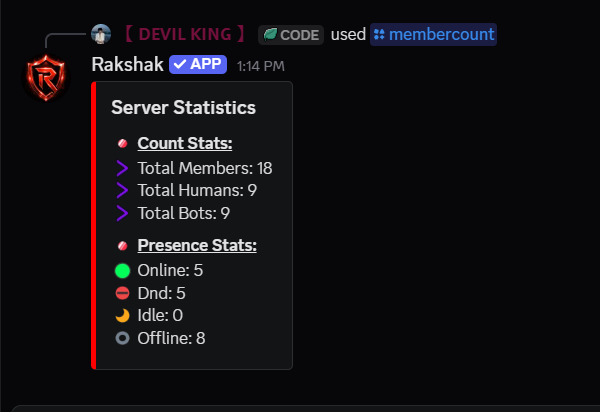
The /membercount application command displays the current online, Do Not Disturb, idle, and offline counts available to Rakshak.
Data Used
Rakshak may process a member's Discord user ID, current presence state, and relevant custom-status or activity information only as needed to provide the configured vanity-role workflow or current presence statistics.
Evidence Video
Guild Presences Intent Evidence Video
This video demonstrates vanity-status configuration, automatic role assignment when the configured status text is detected, automatic role removal when the text is removed, and current online, Do Not Disturb, idle, and offline statistics.
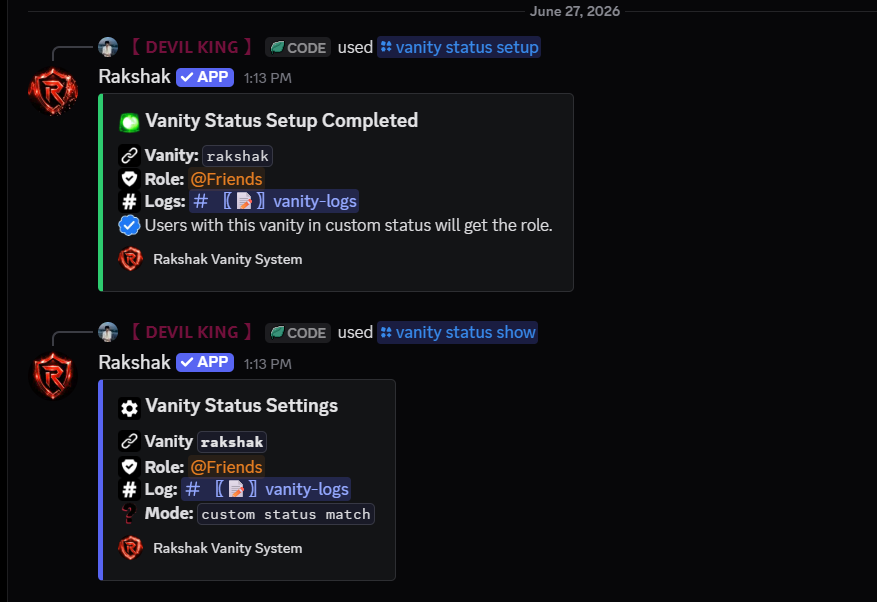
A server administrator configures the required custom-status text, linked role, and staff log channel.
Automatic Role Synchronization
Rakshak automatically adds the configured role when the member's custom status matches and removes it when the status no longer matches.
Presence Statistics
Rakshak displays current online, Do Not Disturb, idle, and offline member statistics.
Message Content Intent
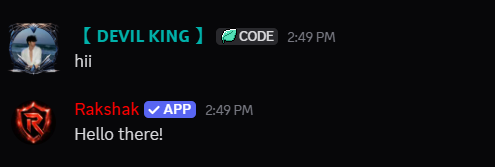
Rakshak uses Message Content access only for administrator-enabled features that require the bot to process ordinary guild messages. The demonstrated workflows include ticket transcript generation, natural AI conversations in enabled channels, administrator-configured autoresponders, and repeated-message content moderation.
Message Content access is not requested for passive monitoring or unrelated server activity. Processing is limited to the specific features enabled and configured by server administrators.
Demonstrated Workflows
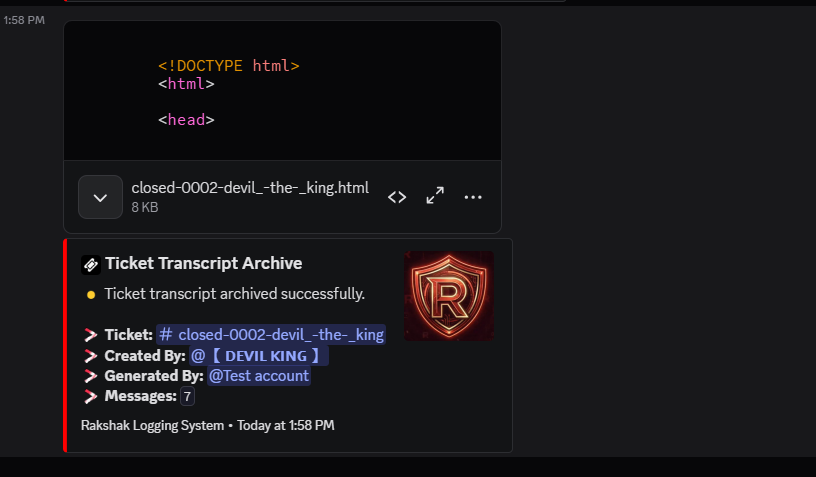
Ticket transcript generation for administrator-authorized ticket closures
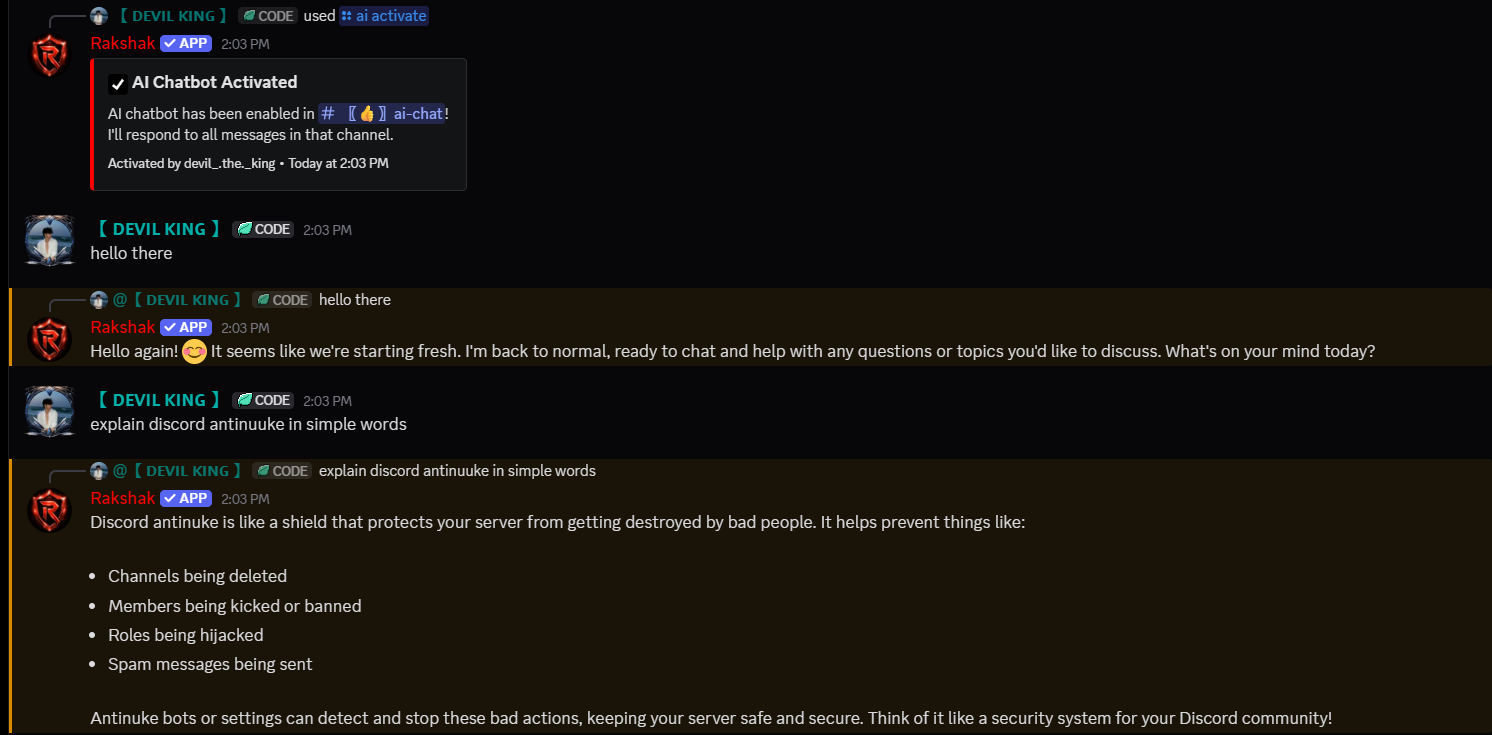
Natural AI conversations in administrator-enabled channels
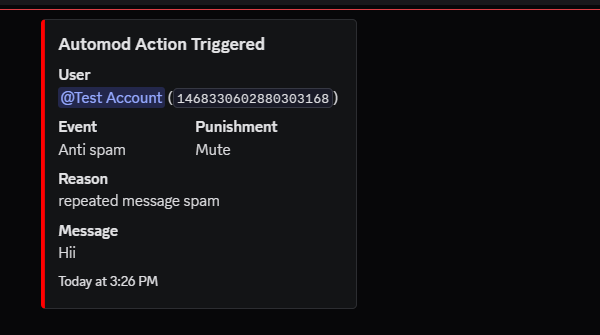
Repeated-message moderation using recent message content
Why Ordinary Message Evaluation Is Used
These enabled workflows depend on ordinary guild message text rather than command inputs. Rakshak processes message content only as needed for the configured feature.
Evidence Video
Complete Message Content Demonstration
This demonstration shows Rakshak processing ordinary guild messages across ticket transcripts, AI conversations, autoresponders, and repeated-message moderation.
When an authorized staff member closes a ticket, Rakshak generates an HTML transcript containing the ticket conversation, message authors, timestamps, and recorded message content.
Primary Use Case
AI Conversation System
After AI is enabled in a specific channel, Rakshak processes ordinary user messages there to generate relevant conversational responses.
Supporting Use Case
Autoresponder System
Rakshak compares ordinary message text with administrator-configured triggers and sends the corresponding configured response when a trigger matches.
Supporting Use Case
Repeated-Message Moderation
Rakshak evaluates recent message content to detect repeated identical messages, apply the configured moderation action, and generate a rule-specific staff log.
Why Message Content Access Is Required
These workflows require Rakshak to access the content of ordinary guild messages:
Ticket transcripts require the recorded ticket conversation to be included in the generated HTML transcript.
Enabled AI channels require the user's ordinary messages to generate relevant conversational responses.
Autoresponders require ordinary message text to be compared with administrator-configured triggers.
Repeated-message moderation requires recent message content to be evaluated for repeated identical messages.
Without Message Content access, Rakshak may receive a message event but cannot reliably access the ordinary guild message text required by these enabled workflows.
Alternatives and Minimum Access
Rakshak uses Discord application commands and interactive components for feature configuration wherever supported.
Message Content access is used only within administrator-enabled workflows that require Rakshak to process ordinary guild message text, including ticket transcript generation, AI conversations, autoresponder matching, and repeated-message content evaluation.
Rakshak does not request Message Content access solely to support prefix commands or unrelated message monitoring.
Privacy and Data Processing
Rakshak processes message content only as necessary to perform enabled features. Ticket content may appear in an administrator-authorized transcript generated when the ticket is closed.
Rakshak does not use Discord message data to train its own AI models. When an enabled AI feature uses an external service, the submitted interaction may be processed by that service as necessary to generate the requested response, subject to that service's applicable terms and privacy practices.
The evidence shown on this page demonstrates Rakshak's implemented functionality and the technical use of the requested intent. It does not imply approval, endorsement, or certification by Discord.
Administrator Control and Data Handling
Optional Rakshak systems must be enabled or configured by an authorized server administrator.
Rakshak processes only the data required for the enabled workflow.
Interactive configuration is provided through Discord application commands where supported.
Rakshak does not sell user data or use Discord data for advertising or unrelated profiling.
Detailed information about processing, retention, third-party handling, and deletion is available in the Privacy Policy.
Users and server owners may use the private contact and deletion methods documented on the website.
All screenshots and videos on this page are genuine recordings from a Rakshak testing server. They demonstrate the currently implemented workflows shown on this page. The evidence is provided to explain Rakshak's use of Discord gateway data and does not represent or imply approval, certification, endorsement, or verification by Discord.